Your touch.
Familiar keys stay in place while touch recognition adapts to the way you type.
A KEYBOARD THAT LEARNS YOU
Familiar keys. A more personal touch.
Find your rhythm, one word at a time.
ON DEVICE. BY DESIGN.
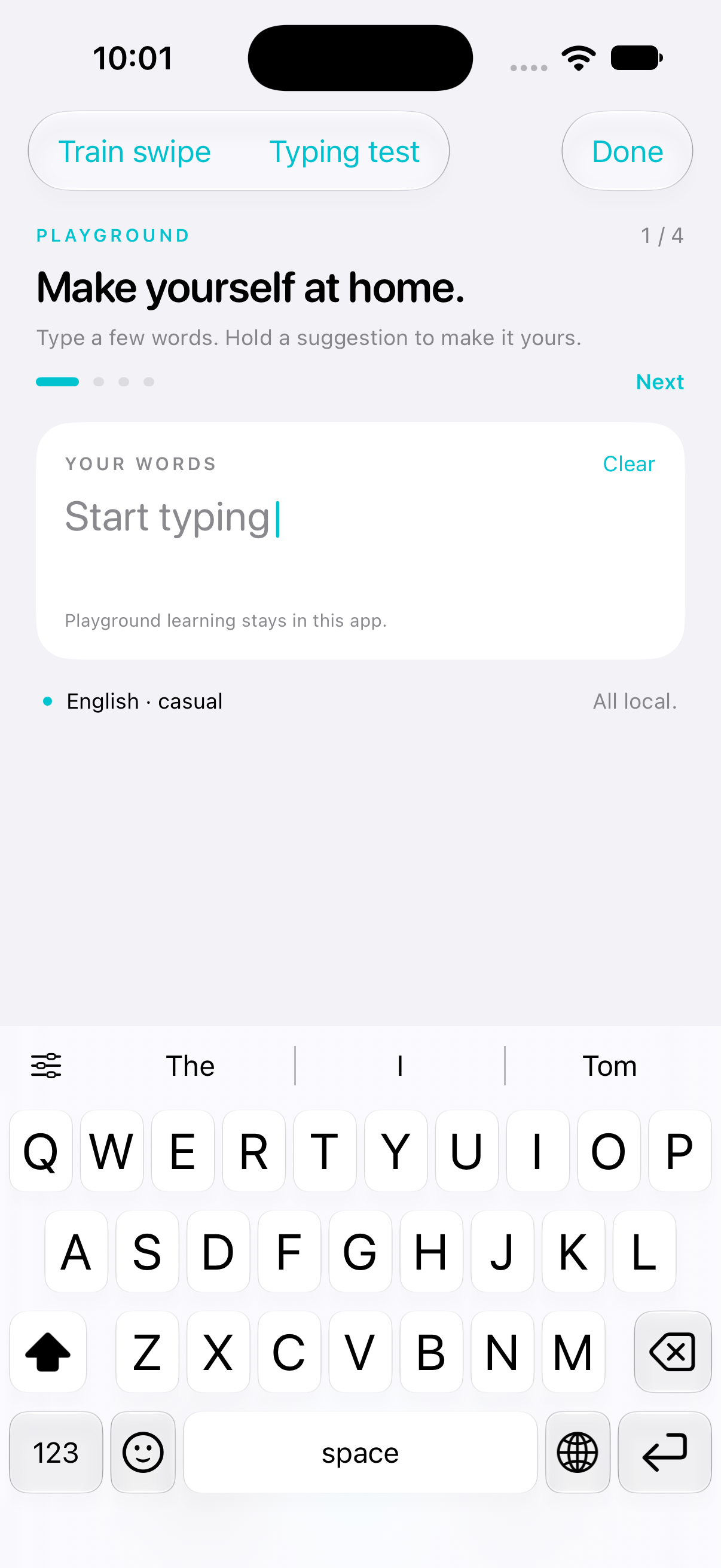
Familiar keys stay in place while touch recognition adapts to the way you type.
Teach a name, keep a spelling, and make suggestions feel more like you.
Undo a correction. Pause learning. See and manage what FliqKey remembers.
FIND YOUR FLOW
A familiar layout, with a little room to make it yours. Try the keys, take back a correction, or keep a word just the way you wrote it.
Type teh, then space. Tap Undo to take it back.
Try the keys below, or use your own keyboard.
A small web demo. Swipe recognition and adaptive learning live in the iOS app.
A MORE PERSONAL TOUCH
Keep the spellings that matter. Practice your swipe. Your choices help shape the keyboard you use every day.
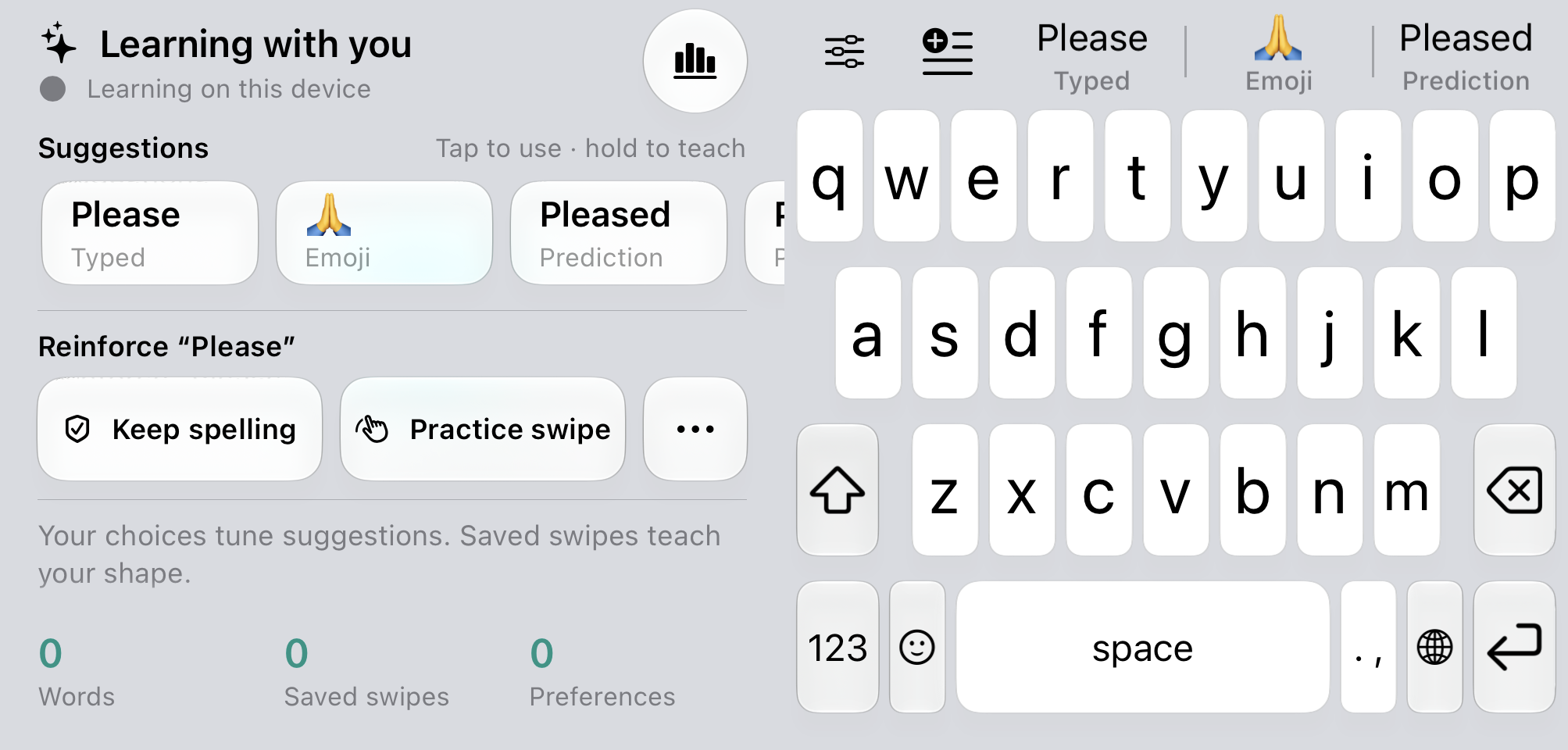
Actual FliqKey interface in an expanded layout. Learning stays on your device.
Save a name or a spelling you want to keep. Review, edit, or forget it in What FliqKey remembers.
Swipe a word, correct the match, and explicitly save a practice shape to help FliqKey recognize your gesture.
Choose your hand position, key height, and layout. Save different fits for different displays and orientations.
THE LITTLE THINGS, CONSIDERED
The controls you need, right where you’re already typing.
ON DEVICE. BY DESIGN.
FliqKey’s predictions and personal learning run on your device. No account, no cloud service, and no Full Access required.
GET TO KNOW FLIQKEY
FliqKey is in development for iOS. Explore the experience here while the native app continues to take shape.
Try the web playgroundFliqKey is currently in development. There isn’t a public App Store download linked here yet. The screenshots show the working native app.
Yes. FliqKey’s keyboard is designed to work without Full Access. Predictions and personal learning run locally, with no account or model download.
It can learn words, correction preferences, touch patterns, and confirmed swipe choices. You can review saved spellings, pause learning, or delete memories in the keyboard’s controls. It does not automatically save full messages.
This is a small interactive preview of typing, keeping a spelling, and undoing a correction. Swipe recognition and adaptive learning run in the native iOS app. The web demo doesn’t save what you type.